
see who's taking your data.
free · by acific.labs
coming soon to the app storesee who.
every company your apps and websites send data to, named, live, as it happens.
stop them.
tracker lookups are answered on your iphone, so the connection never happens. the app still works.
know what they took.
where your data went, how often, and what each kind of company collects.
you open an app.
or a website.
the forecast. the news. a pair of shoes. you'd think each one talks to one server.
see who's taking it.
behind every app and every website, companies you've never heard of, called in the background. green means your data is flowing to them.
know what they took.
your advertising id, your location, what you tapped. each gets a piece. together, they know you.
stop them.
red means blocked. vacuum answers tracker lookups on your iphone, so those connections never happen. the apps and sites still work.
every app. every site.
vacuum does this for every app and every website on your iphone. it pulls those networks out, shows you who tried, and walks you through the settings that let it happen.
- weather app● 9 trackers● 9 blocked
- the news site● 23 trackers● 23 blocked
- shoes site● 17 trackers● 17 blocked
- puzzle game app● 14 trackers● 14 blocked
- recipes site● 19 trackers● 19 blocked
- fitness app● 7 trackers● 7 blocked
- flights site● 21 trackers● 21 blocked
- streaming app● 11 trackers● 11 blocked
- horoscope site● 12 trackers● 12 blocked
- maps app● 5 trackers● 5 blocked
tracker counts are illustrative. green: your data flowing to trackers. red: blocked by vacuum.
and that's just some of the features:
- every company your apps send data to, named
- where your data went: every address, how often, and when
- what each kind of company takes
- who owns them
- blocks advertising, analytics and tracking networks in every app
- works in safari and every other browser
- on-device vpn that only handles domain lookups
- blocked lookups answered right on your iphone
- everything else answered by cloudflare 1.1.1.1
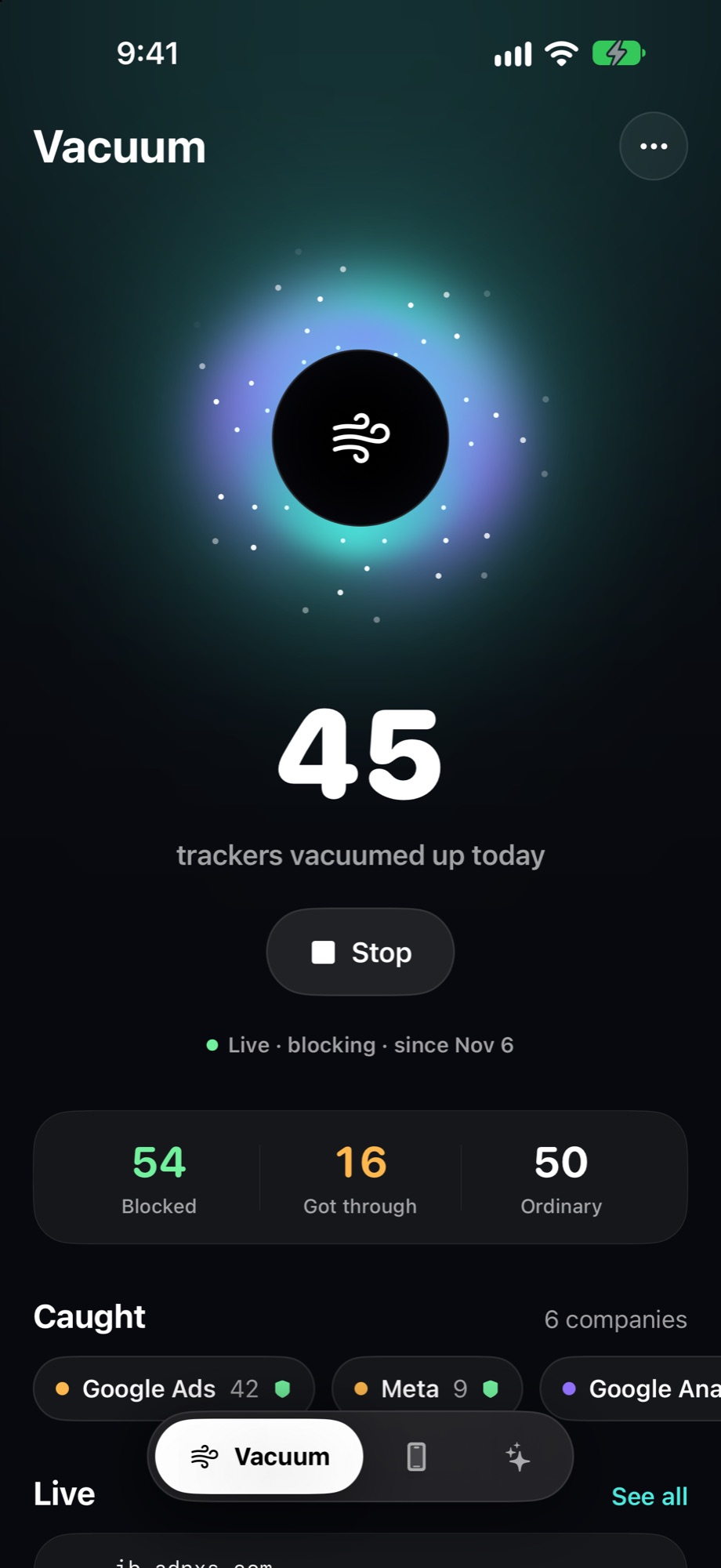
- today's tracker count, live
- the vortex: watch trackers get pulled into the core
- live feed of every lookup
- seven days of history
- companies grouped by what they do
- every site an app talked to
- always allow a company with one tap
- block any site yourself
- optional blocking of apple's own telemetry
- my phone: model, ios, storage, battery and temperature
- what any app can read without asking
- a map of where your photos say you've been
- photo, video, screenshot and contact counts
- give your phone a name
- deep clean: over 50 guided steps
- the exact taps for every setting
- checks cross-app tracking and location services for you
- apple, google and meta ad settings
- a privacy report you can read in a minute
- home screen and lock screen widgets
- two-pane layout for iphone duo's wide screen
- first-launch tour
- erase everything with one tap
- no account
- no analytics
- no third-party code
- free
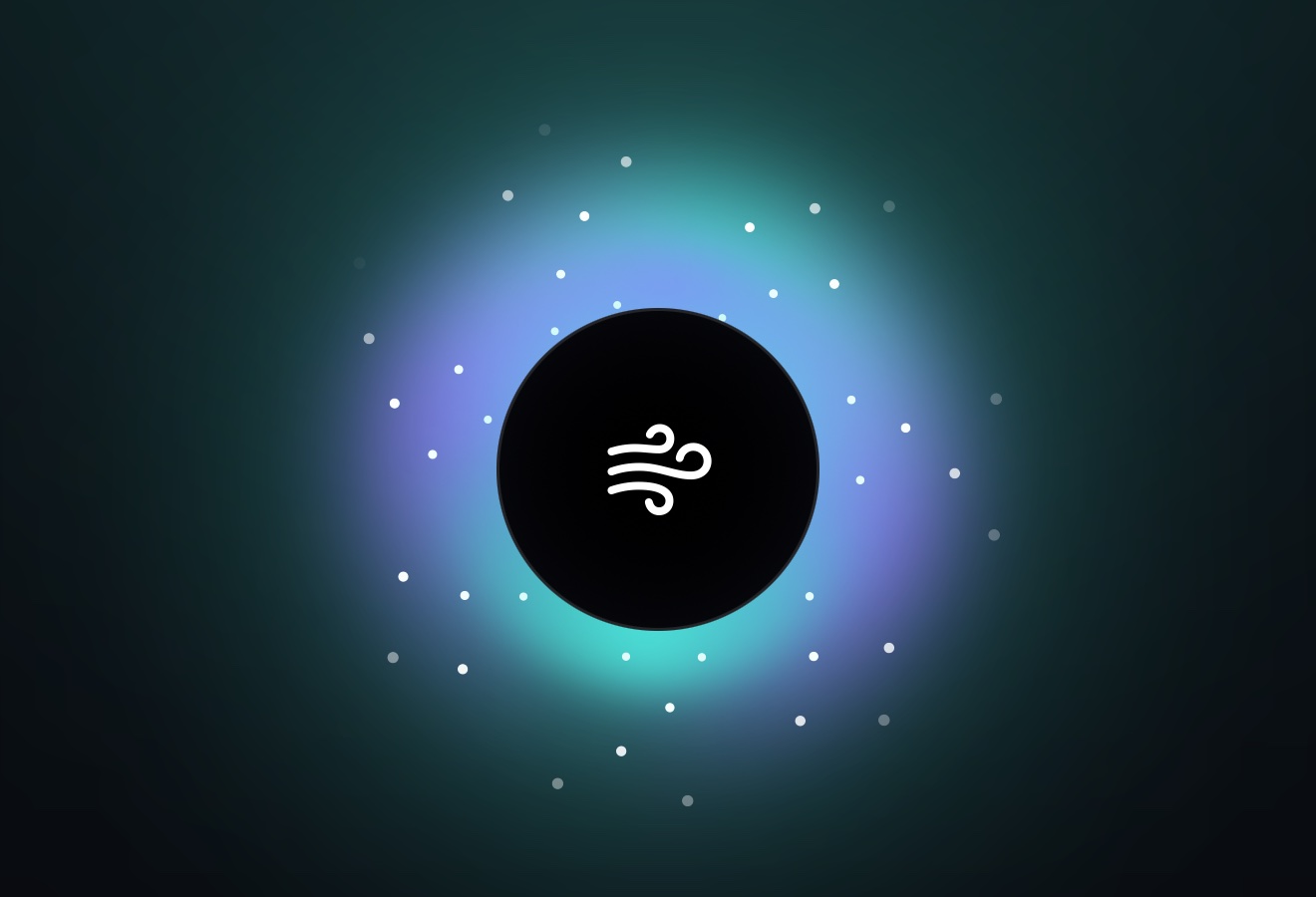
the core. every tracker vacuum catches is pulled in, live, the moment an app asks for it.
answered on device.
the connection never happens.
FIG. 01VACUUM [IOS]
pulled in, live.
turn the vacuum on once. from then on, every lookup an app makes passes through a tiny vpn that runs on your iphone. advertising, analytics and tracking domains are answered on the spot, so the connection never happens. everything else goes straight through to cloudflare's 1.1.1.1.
and you get to watch: today's count, the companies that tried, a live feed of every request and a week of history. if an app breaks, let that one company through with a tap.
three tabs. nothing else.
the blocker, today's count and who tried. on by default, quiet by design.
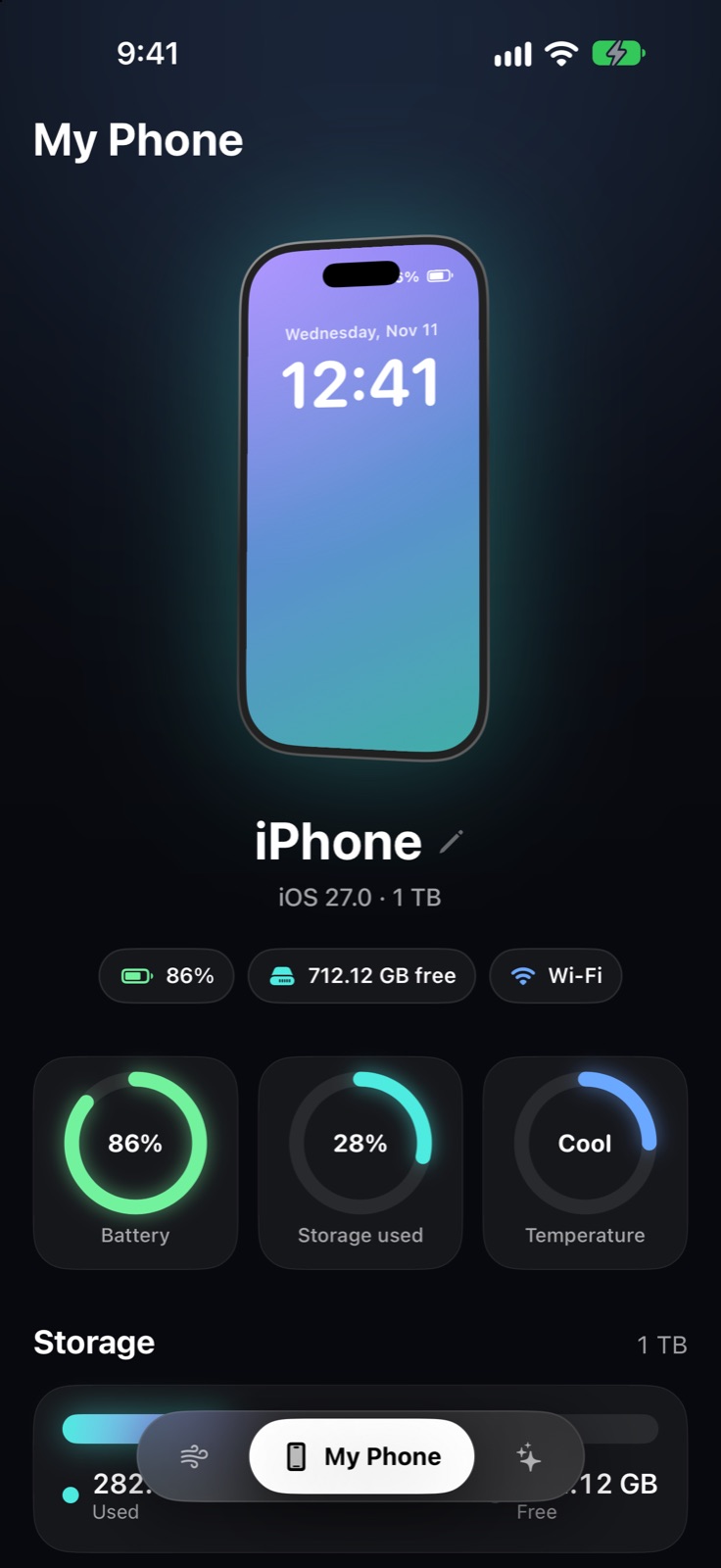
your iphone as any app sees it: storage, battery, temperature, photos and the details shared without asking.
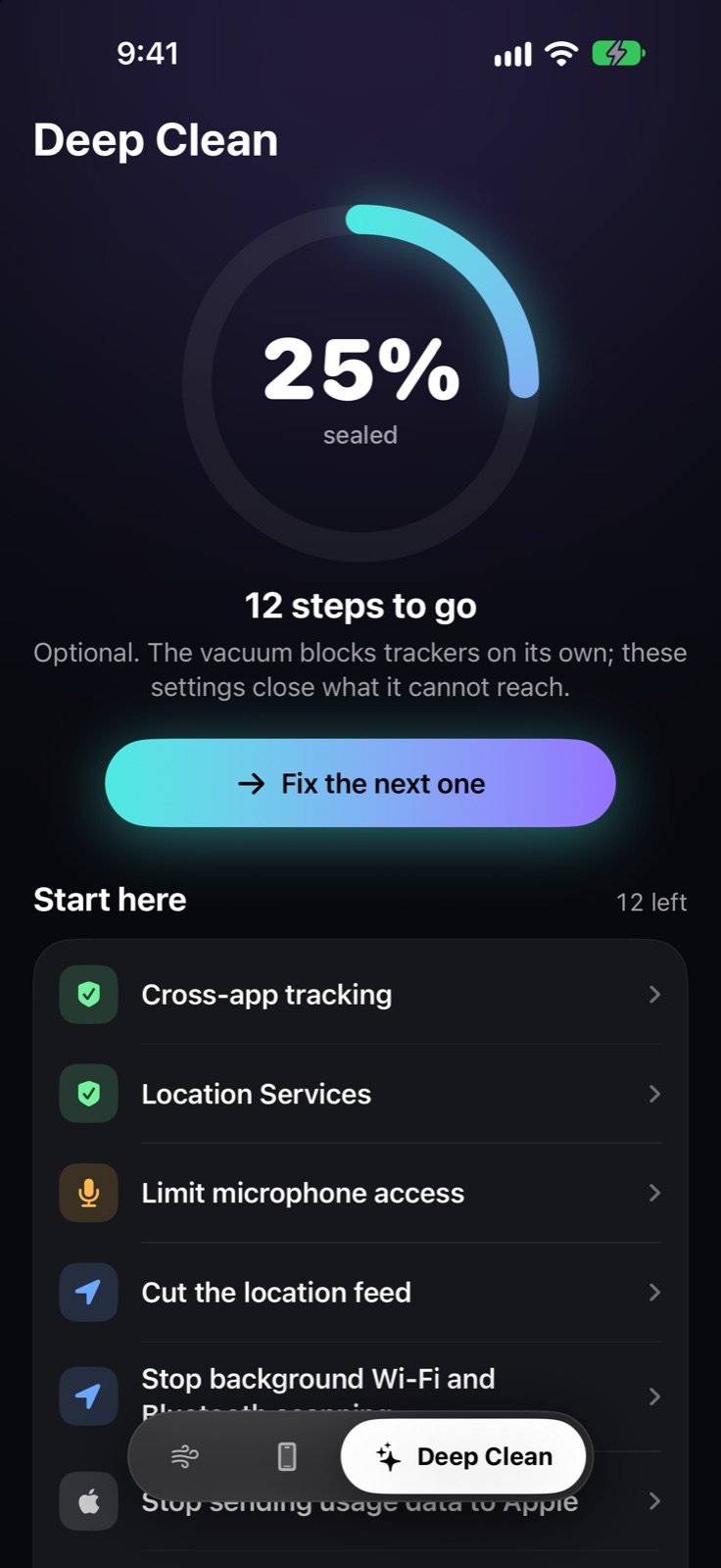
the settings a blocker can't reach, sorted by what matters most.
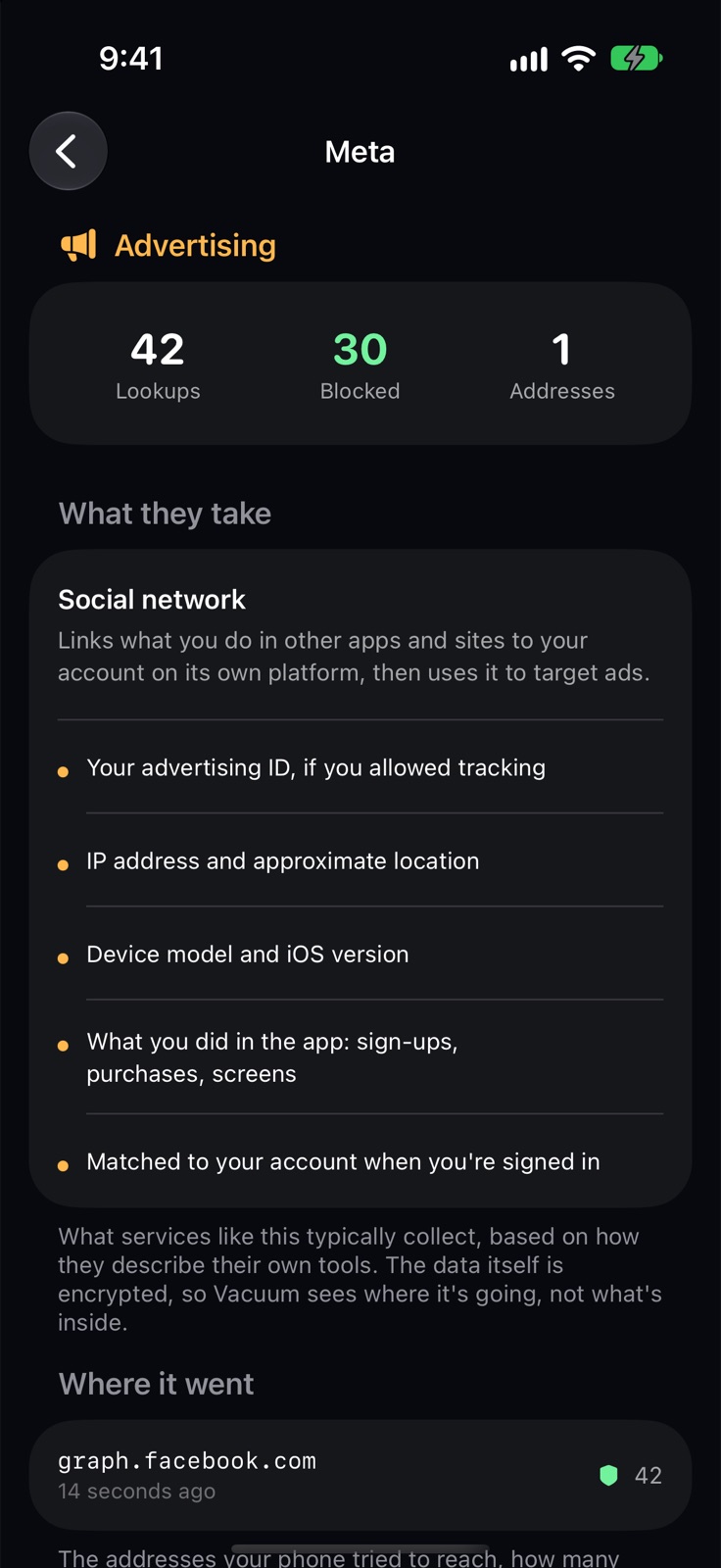
know what they took.
tap any company to see what it does, what services like it collect, and every address your phone tried to reach, how many times and when.
your advertising id. your location. what you did in the app. now you know who wanted it, and vacuum can stop them.
the data itself is encrypted, so vacuum sees where it's going, not what's inside. descriptions come from how these companies document their own tools.
seal what a blocker can't reach.
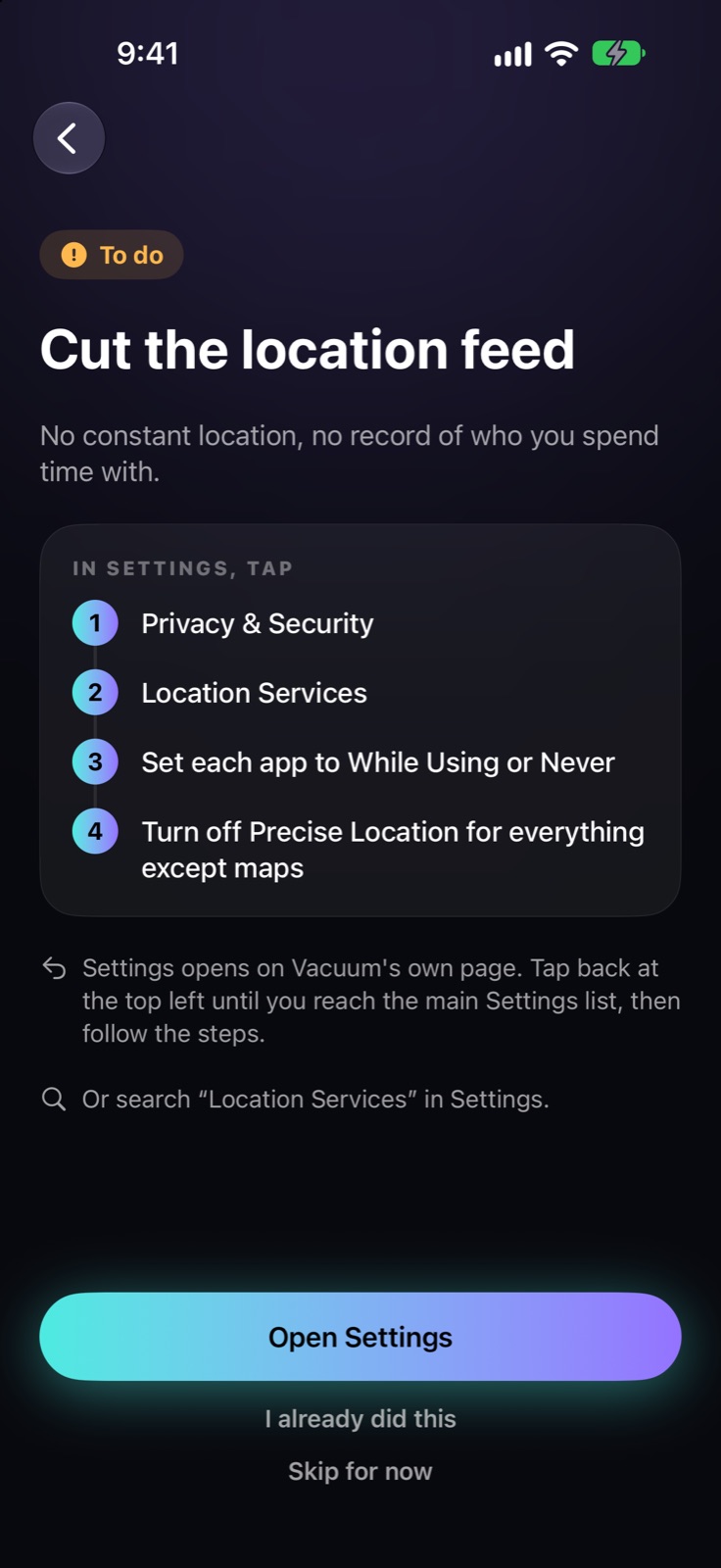
some sharing happens inside ios and your accounts, where no app is allowed to switch it off. deep clean gives you the exact taps for each one, opens settings for you, and ticks off what it can check on its own.
- cross-app tracking
- location services
- limit microphone access
- cut the location feed
- stop background wi-fi and bluetooth scanning
- stop sending usage data to apple
sequence continues. over 50 steps across ios, apple, google and meta.
nothing leaves your phone.
no account. no analytics. no ads. no third-party code. the log of what vacuum caught lives on your iphone and nowhere else, and one tap erases all of it.
read the privacy policy.
vacuum ios
specifications
vacuum highlights
- see every company your apps send data to
- what each one takes, and who owns it
- where your data went, address by address
- blocks ads, analytics and tracking in every app
- live feed of every lookup
- seven-day history
- companies grouped by category
- always-allow and block lists
- optional apple telemetry blocking
- my phone device overview
- photo location map
- deep clean: over 50 guided steps
- home and lock screen widgets
- two-pane layout for iphone duo
- first-launch tour
network:
on-device vpn, dns only
blocked lookups answered on device
other lookups: cloudflare 1.1.1.1
data collected:
none
no account, no analytics
no third-party code
requirements:
iphone with ios 17 or later
free
for everything vacuum stores, read the privacy policy
vacuum privacywhat stayson your phone
questions? visit support